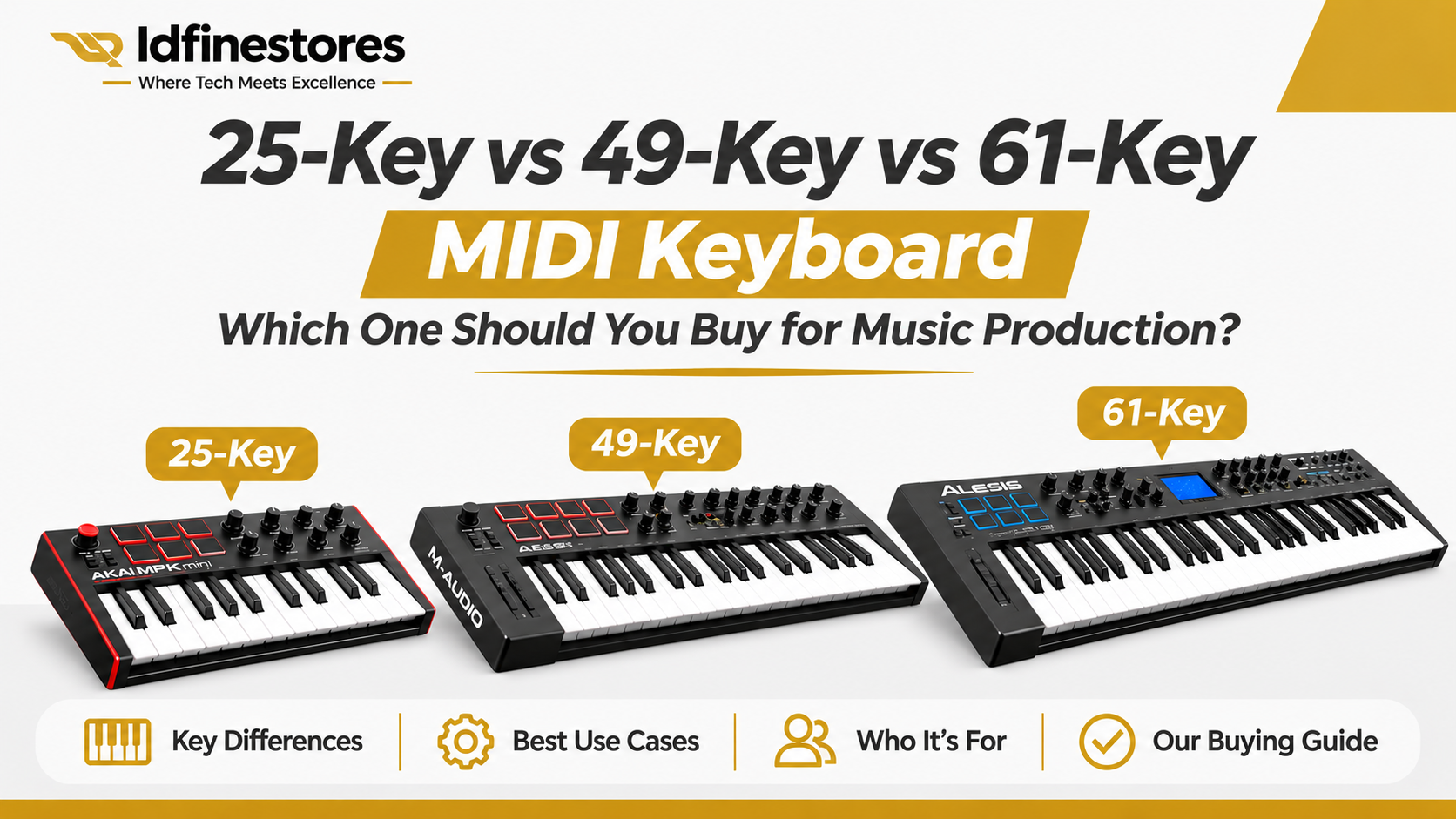
Choosing a MIDI keyboard is one of those decisions that can quietly affect your entire music production workflow. Buy a controller that is too small for the way you play, and you may find yourself constantly changing octaves. Buy one with features you rarely use, and you may spend more money without improving your production experience.
Whether you produce Afrobeats, hip-hop, gospel, R&B, EDM, film scores or other styles of music, the right MIDI keyboard can make composing, arranging melodies, playing chords and controlling virtual instruments more comfortable.
But should you buy a 25-key, 49-key or 61-key MIDI keyboard?
The answer is not simply that more keys are always better. It depends on how you make music, the instruments you play, your studio space, your preferred software and whether you perform parts with one hand or both hands.
In this guide, we explain the technical differences, practical advantages and limitations of each size so you can make a better buying decision.
1. First, what exactly is a MIDI keyboard?
A MIDI keyboard controller is a hardware device that allows you to play and control virtual instruments or compatible external music equipment.
MIDI stands for Musical Instrument Digital Interface. It communicates musical information such as the note played, when the note starts and stops, how hard a key is pressed and, on supported devices, additional performance information such as aftertouch.
Here is an important distinction: MIDI information is not the same as recorded audio.
When you press a key on a typical MIDI controller, it sends performance data to your computer or connected instrument. Your music software then uses that information to trigger a sound from a virtual instrument, synthesiser or other sound source.
For example, you can use the same MIDI performance to play a piano, strings, bass, synthesiser, organ or another virtual instrument simply by changing the instrument loaded in your DAW.
This is why a MIDI controller is so useful in modern music production. It gives you a more natural way to create and perform musical ideas than relying entirely on clicking notes into a piano roll.
A MIDI keyboard normally does not produce sound independently unless it includes an internal sound engine. Always check the specific product’s features before purchasing.
2. What is the difference between 25, 49 and 61 keys?
The main difference is the number of notes you can access at one time without changing octaves.
A standard piano has 88 keys. MIDI controllers are available in smaller sizes because many producers do not need the full range of a piano for their everyday production work.
Let’s look at the three common sizes.
25-key MIDI keyboard: Compact production and portability
<25-key controllers are designed for producers who need a small, convenient controller that takes up little desk space.
They can be useful for:
- Entering melodies and short musical phrases.
- Creating basslines and simple chord ideas.
- Triggering virtual instruments.
- Producing beats in compact home studios.
- Travelling with a laptop and a portable production setup.
A 25-key controller can be particularly practical when most of your work involves programming drums, editing MIDI notes and building arrangements inside your DAW.
However, its limited range becomes noticeable when you want to play more complex arrangements. You may need to use octave buttons frequently to reach higher or lower notes.
The limitation: If you regularly play two-handed piano parts, wide chord voicings or arrangements that cover several octaves, 25 keys may feel restrictive.
A 25-key keyboard is not automatically a beginner’s keyboard. Experienced producers also use compact controllers when portability and desk space matter more than a wide playing range.
49-key MIDI keyboard: A practical balance for many producers
A 49-key controller offers more playing range without taking up as much room as a 61-key model.
It is a useful middle ground for producers who want to do more playing directly on the keyboard rather than constantly switching octaves.
It can be suitable for:
- Playing melodies across a wider range.
- Building chord progressions.
- Recording basslines and keyboard parts.
- Working with virtual pianos, organs and synthesisers.
- Developing arrangements with more comfortable note access.
For many home studio producers, 49 keys offer a sensible balance between physical space and playing flexibility.
But remember that two controllers with the same number of keys can feel very different. Key size, key action, velocity response and control layout all affect the experience.
The limitation: A 49-key controller may still require octave changes when playing wider piano arrangements or complex two-handed performances.
61-key MIDI keyboard: More room for expressive playing
A 61-key controller provides a wider playing range and can be more comfortable for producers and musicians who perform more of their parts on the keyboard.
It is worth considering if you regularly:
- Play with both hands.
- Record fuller piano arrangements.
- Work with orchestral and cinematic instruments.
- Create complex chord progressions.
- Perform melodies and bass notes across a wider range.
- Want fewer interruptions from changing octaves.
A larger keyboard can make it easier to explore musical ideas without repeatedly moving between octave ranges.
Some 61-key controllers also include more extensive performance and DAW controls, although this depends on the particular model. Do not assume that every 61-key controller automatically has more knobs, pads or faders than every smaller controller.
The limitation: It takes up more desk space and may be less convenient if you frequently move your production equipment.
3. 25-key vs 49-key vs 61-key: Which one gives you the best value?
There is no universal winner. The best value comes from choosing a controller that suits your actual workflow.
| Feature | 25 keys | 49 keys | 61 keys |
|---|---|---|---|
| Physical size | Compact | Medium | Larger |
| Desk space | Minimal | Moderate | More space |
| Playing range | Limited | Wider | Widest of these three |
| Octave switching | More frequent | Less frequent | Less frequent |
| Two-handed playing | More restrictive | More practical | More comfortable |
| Portability | Excellent | Good | Less convenient |
| Best suited to | Compact beat-making setups | General production | Wider performances and arrangements |
The table describes typical practical differences, not a guarantee of how every keyboard will perform. Key action, layout and additional features vary by manufacturer and model.
4. Does the number of keys affect FL Studio, Cubase or Ableton Live?
The number of keys does not determine whether a MIDI controller can work with a particular DAW.
Compatibility depends on the controller’s MIDI connectivity, supported software integration and correct configuration.
A compatible MIDI keyboard can be used to play virtual instruments and record MIDI performances in applications such as:
- FL Studio
- Steinberg Cubase
- Ableton Live
- Logic Pro
- Studio One
- Other MIDI-compatible music production software
For example, you can record a melody using a 25-key controller in FL Studio, then edit the notes in the piano roll. You can also use a 61-key controller in Cubase to record a wider keyboard performance.
However, there is a difference between basic MIDI input and deeper DAW integration.
Some controllers provide dedicated controls for transport functions, mixer channels, virtual instruments and other software features. Others offer basic note input and require you to configure additional controls manually.
If you primarily use FL Studio, check whether the controller has suitable FL Studio integration. If you use Cubase or Ableton Live, check the manufacturer’s compatibility information and supported control features.
A keyboard advertised as compatible with a DAW does not necessarily mean every button, knob and fader will work automatically.
5. Do not buy based on the number of keys alone
This is where many buyers make mistakes.
Two MIDI controllers can both have 49 keys but offer very different playing experiences and production features.
Before buying, pay attention to these important specifications.
A. Velocity sensitivity
Velocity sensitivity determines how the keyboard responds to the force with which you press a key.
For example, when playing a virtual piano, pressing a key gently can produce a softer note, while pressing it harder can produce a stronger note, depending on the instrument and its velocity settings.
This is important for expressive playing and more natural performances.
Check whether the keys are velocity-sensitive. Also check whether the velocity response can be adjusted through the keyboard or its software, if that matters to your workflow.
B. Key size and key action
Not every MIDI keyboard uses the same key dimensions or mechanism.
Some compact controllers use mini keys, while others have full-size keys.
Key action also varies. You may encounter synth-action, semi-weighted and weighted designs.
- Synth-action: Usually lighter and quicker to play.
- Semi-weighted: Offers a different resistance and playing feel, often chosen as a compromise between light synth keys and heavier piano-style action.
- Fully weighted or hammer-action: Designed to provide a more piano-like resistance and is more relevant to players seeking a traditional piano feel.
Do not confuse the number of keys with the quality of the keybed. A 25-key controller with a comfortable keybed may suit your work better than a larger controller with an action you dislike.
C. Drum pads
Some MIDI controllers include velocity-sensitive pads for finger drumming, triggering samples and launching musical ideas.
If you produce Afrobeats, hip-hop, dance music or electronic music, pads may be useful for programming and performing drum patterns.
However, not every producer needs pads. If you mainly play keyboard parts, you may prefer a controller with a better keybed rather than paying extra for features you will rarely use.
D. Knobs, faders and assignable controls
These controls can help you work more directly with your DAW and virtual instruments.
Depending on the model, they may be assigned to:
- Mixer volume.
- Panning.
- Filter cutoff.
- Instrument parameters.
- Effects controls.
- Software transport functions.
For example, instead of moving your computer mouse to adjust a virtual instrument’s filter, you may be able to turn an assigned hardware knob.
This can make the production process more hands-on, but the available functions and setup requirements vary by controller.
E. Pitch bend and modulation controls
Pitch bend allows you to move the pitch of a played note smoothly, while modulation can control effects such as vibrato or other assigned sound changes.
These controls are useful when performing expressive synthesiser leads, strings and other virtual instruments.
Check the type of controls provided. Some compact models use touch strips, while others have physical wheels.
F. USB and MIDI connections
Many modern controllers connect to a computer through USB. Some models also provide traditional five-pin MIDI connections for compatible external instruments and hardware.
Before buying, consider how you intend to connect the controller.
Ask:
- Does it connect directly to your computer?
- Does it require an external power supply?
- Does it have a traditional MIDI output?
- Will you need a USB hub?
- Does it support the computer and operating system you use?
Never assume every MIDI keyboard has the same connection options.
6. Can a 25-key MIDI keyboard produce professional music?
Absolutely.
The number of keys does not determine the quality of the music you produce.
A 25-key controller can be used to create professional-quality MIDI performances, melodies, chords and basslines. The actual sound comes from the virtual instruments or connected sound sources, not from the number of keys.
A producer who understands music theory, sound selection, arrangement and mixing can create excellent work with a compact controller.
The important question is whether the keyboard provides enough playing range and control for the way you work.
If you spend most of your time programming drums, arranging samples and entering short melodies, a 25-key controller may be sufficient.
If you frequently perform full piano parts, a larger controller may make your workflow more comfortable.
7. Which MIDI keyboard should a beginner buy?
A beginner should not automatically buy the smallest or cheapest controller.
The better approach is to consider what you want to learn and produce.
If you are starting with beat-making and mainly use the piano roll, a 25-key controller may be a reasonable entry point.
If you want to learn keyboard playing while producing music, a 49-key controller may give you more room to develop.
If you already play the piano or want to record wider arrangements with both hands, consider a 61-key controller.
Think about your future workflow as well as your current experience. Buying a controller that becomes restrictive very quickly may lead to another purchase sooner than expected.
8. Common mistakes to avoid when buying a MIDI controller
Before making a purchase, avoid these mistakes:
Buying only because of the price: A cheaper controller is not necessarily the best value if its keybed, connectivity or controls do not suit your work.
Assuming more keys mean better quality: Key count is only one specification. Build quality, velocity response, key action and software integration also matter.
Ignoring DAW compatibility: Check the manufacturer’s compatibility information for your production software.
Confusing a MIDI controller with a standalone keyboard: A typical MIDI controller does not generate sound by itself. You need a compatible sound source.
Ignoring desk space: Measure your available space, especially if you already have studio monitors, an audio interface, a computer keyboard and other equipment on your desk.
Overlooking the included software: Some controllers include software instruments, DAW editions or production tools. Check exactly what is included and whether registration or downloads are required.
Buying features you will never use: Pads, screens, faders and advanced controls can be useful, but only when they support your production workflow.
9. How to choose the right MIDI keyboard for your music production setup
Here is a practical way to make your decision:
- Choose 25 keys if portability, compact desk space and basic note entry are your priorities.
- Choose 49 keys if you want a balance between playing range, studio space and everyday production.
- Choose 61 keys if you regularly play with both hands, perform wider arrangements and want more room to play.
These are starting points, not strict rules. Your playing style, the specific model and the quality of its keybed should influence the final decision.
If possible, test the key action before buying. If you cannot test it physically, review the manufacturer’s specifications and demonstrations carefully.
10. Why buy your music production equipment from Idfinestores?
Choosing the right music equipment is not just about finding a product and paying for it. It is about understanding what you are buying and whether it is suitable for your studio.
At Idfinestores, we believe customers should be properly informed before making technology and music equipment purchases.
We are building a specialist-led online destination for premium phones, gadgets and professional music studio equipment. We are not an open multi-vendor marketplace where unrelated sellers independently manage product listings and customer experiences.
Our approach is built around a more structured experience:
Knowledge before sales: We create educational content to help producers understand equipment, compare specifications and make informed decisions.
Technology-aware support: Our team understands technology and music production equipment and is available to help customers with product questions.
Careful product selection: We focus on quality-conscious sourcing and clear product information rather than simply listing every available item.
Support beyond purchase: Our relationship with customers should not end when an order is delivered. We want buyers to know where to turn when they need product guidance or assistance.
A more confident buying experience: We understand that buying music equipment online can be difficult when you cannot physically inspect every feature. Clear information, communication and responsible product presentation help reduce that uncertainty.
We are not here simply to sell a MIDI keyboard. We want to help you choose equipment that makes sense for your music, your workflow and your studio.
Our Idfinestores 2-Month Replacement Guarantee applies to eligible purchases, subject to the published warranty terms.
11. Frequently asked questions about MIDI keyboards
Is a 25-key MIDI keyboard enough for FL Studio?
Yes. A 25-key controller can be used to enter melodies, play virtual instruments and record MIDI performances in FL Studio, provided the controller is compatible and correctly configured.
Is 49 keys better than 25 keys?
A 49-key controller provides a wider playing range and may be more comfortable for producers who play melodies and chords regularly. However, a 25-key model may be more practical for a compact setup.
Is 61 keys enough for piano playing?
A 61-key controller provides a useful playing range for many arrangements, but it does not cover the full 88-key range of a standard piano. Whether it is sufficient depends on the music you play.
Does a MIDI keyboard need an audio interface?
Not necessarily. Many USB MIDI controllers connect directly to a computer. The sound from your virtual instrument is produced and monitored through your computer’s audio system or audio interface. Your specific setup determines whether a separate audio interface is necessary.
Can I use a MIDI keyboard with Cubase and FL Studio?
Many MIDI controllers work with both applications. However, specific DAW integration and control functions vary by model. Always check the manufacturer’s compatibility information.
Does a MIDI keyboard produce sound without a computer?
A typical MIDI controller does not. It sends MIDI information to software or another compatible sound source. Some keyboard products combine MIDI controller functionality with built-in sounds, so check the product description carefully.
Final thoughts: Buy the keyboard that fits your music
The best MIDI keyboard is not necessarily the one with the most keys, the most buttons or the highest price.
It is the one that gives you the playing range, response, controls and connectivity you need to work comfortably and express your musical ideas.
For a compact beat-making setup, 25 keys may be enough. For a balanced home studio, 49 keys are worth considering. For wider performances and more extensive keyboard arrangements, 61 keys may be the better choice.
Take time to understand the specifications before making your decision.
At Idfinestores, we want every customer to buy with knowledge and confidence.
Idfinestores — Where Tech Meets Excellence.
Explore our music studio equipment collection or contact our team for assistance choosing the right equipment for your setup.